
Kubernetes 101: A Practical Introduction
Kubernetes has become the foundation of modern application platforms — including OpenShift — but for many people it still feels intimidating. Terms like pods, services, and controllers get thrown around quickly, and it’s easy to lose the big picture.
This post is a practical introduction to Kubernetes: what it is, why it exists, and how the core pieces fit together.
What Is Kubernetes?
At its core, Kubernetes is a container orchestration platform.
That means it is responsible for:
- Running containers
- Keeping them running
- Scaling them up and down
- Restarting them when they fail
- Connecting them to the network
- Managing configuration and secrets
Instead of manually running containers on individual servers, you describe what you want — and Kubernetes continuously works to make reality match that desired state.
Why Kubernetes Exists
Before Kubernetes, teams typically:
- Deployed applications directly on virtual machines
- Manually scaled and monitored services
- Wrote custom scripts to handle failures
- Tied applications closely to specific infrastructure
As systems grew, this approach became brittle and expensive to manage.
Kubernetes was created to:
- Standardize how applications run
- Abstract infrastructure differences
- Automate common operational tasks
- Enable scale without chaos
It lets teams focus more on applications and less on servers.
Core Kubernetes Concepts (The Big Picture)
Let’s break down the key building blocks you’ll hear about most often.
Cluster
A Kubernetes cluster is the entire system.
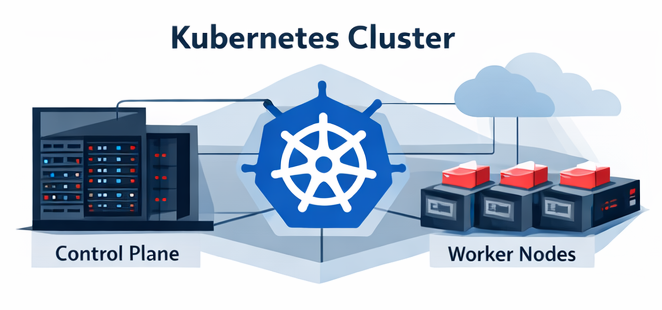
It consists of:
- Control plane – the brains of the cluster
- Worker nodes – where your applications actually run
You interact with the cluster using tools like kubectl or platform UIs (such as the OpenShift console).
Node
A node is a machine (physical or virtual) that runs containers.
Each node:
- Runs a container runtime
- Executes workloads assigned by the control plane
- Reports health and status back to the cluster
You typically don’t deploy directly to nodes — Kubernetes schedules workloads for you.
Pod
A pod is the smallest deployable unit in Kubernetes.
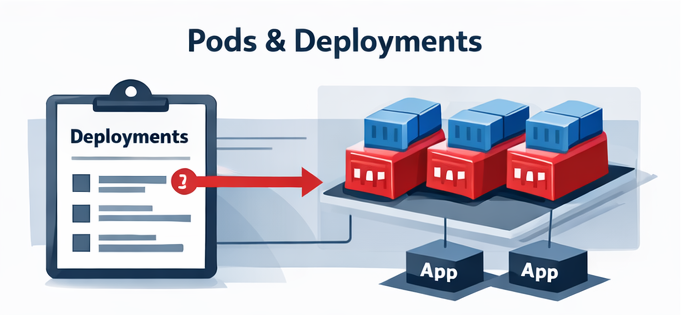
A pod:
- Wraps one or more containers
- Shares networking and storage
- Is treated as a single unit by Kubernetes
In most cases:
- One pod = one application container
Pods are ephemeral — they can be created, destroyed, and replaced at any time.
Deployment
A Deployment defines how your application should run.
It describes:
- Which container image to use
- How many replicas you want
- How updates should be rolled out
Kubernetes uses this definition to:
- Create pods
- Replace failed pods
- Perform rolling updates safely
Think of a Deployment as your desired state contract.
Service
Pods come and go, but applications need stable network access.
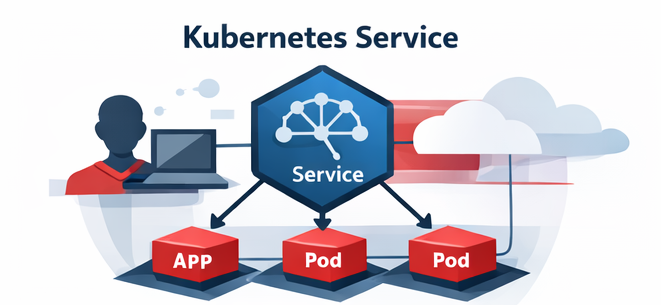
A Service:
- Provides a stable virtual IP or DNS name
- Routes traffic to healthy pods
- Decouples clients from pod lifecycle
Without Services, every pod restart would break connectivity.
ConfigMaps and Secrets
Applications need configuration.

Kubernetes separates configuration from code using:
- ConfigMaps – non-sensitive configuration
- Secrets – sensitive data (passwords, tokens, keys)
This allows:
- Configuration changes without rebuilding images
- Better security and separation of concerns
Desired State: The Kubernetes Superpower
One of the most important concepts in Kubernetes is desired state.
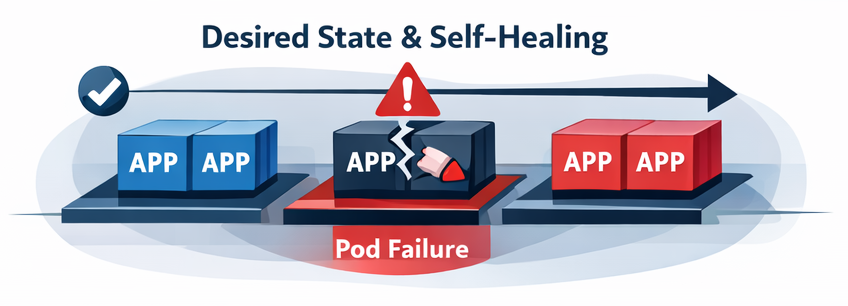
You tell Kubernetes:
“I want 3 replicas of this application running.”
If one crashes:
- Kubernetes notices
- Kubernetes replaces it automatically
If a node goes down:
- Kubernetes reschedules workloads elsewhere
This control loop runs constantly, which is why Kubernetes systems can be self-healing.
Where OpenShift Fits In
Kubernetes is powerful, but raw Kubernetes can be complex to operate securely at scale.
OpenShift builds on Kubernetes by adding:
- Secure defaults
- Integrated authentication and RBAC
- Built-in CI/CD and developer tooling
- Enterprise-grade networking and storage integrations
- Day-2 operational tooling
Understanding Kubernetes fundamentals makes OpenShift far easier to reason about.
Common Misconceptions
“Kubernetes replaces developers.”
No — it replaces repetitive operational work.
“You need Kubernetes for everything.”
Not always. Kubernetes shines when you need scale, reliability, and consistency.
“Pods are virtual machines.”
They are not. Pods are much lighter and more ephemeral.
What’s Next?
This post barely scratches the surface, but it establishes the mental model you need.
Future posts will dive deeper into:
- Deployments vs StatefulSets
- Networking and ingress
- Storage and persistence
- Kubernetes vs OpenShift
- Common troubleshooting patterns
Final Thoughts
Kubernetes isn’t magic — it’s a set of well-defined control loops working together to manage containers at scale.
Once you understand:
- Pods
- Deployments
- Services
- Desired state
…the rest of Kubernetes starts to make sense.
If you’re learning Kubernetes through OpenShift, you’re starting from a strong foundation.